Hardware instructions
You should already be familiar with the project task through your work in simulation. As a group, you will now fine-tune the best solution to fly a real quadrotor through gates. You should keep in mind that the sensor signals on the actual drone are noisy and less accurate than in simulation, we recommend starting slow.
Learning objectives
Controlling a plug-and-play drone
Interfacing with the Python library to control the drone
Learning the difference between code deployment in simulation and on the real drone
Mastering different flight phases in the real world
Reporting performance results in a scientific manner
Tasks
The final deliverables which you will need to submit for this hardware practical are the following:
Short presentation (4 slides maximum)
Video recording of your most successful trials
Task video, code and presentation files submitted on Moodle by May 25th 23:59
Demonstration on May 26th
Presentation
Length: up to 4 slides
Duration: up to 4 minutes
1 slide on the gate setup for your experiment (Show environment layout(s) tested on)
1 slide on the strategy (Algorithm, what you spend most time on)
1 slide on the results (Statistics on mission time/success/…)
1 optional slide (with anything relevant to add)
Video of one trial
You will prepare and submit a video of one of your trials with your own track. The video should:
Contain no edits except speed-ups (indicate speed up factor in overlay) and text additions
Show at least one of the team members
Show both drone view and third view
Show a clock/stop watch with a physical device (i.e a timer on a phone) that indicates seconds at the beginning and at the end
Be in mp4 format
We will use it as a backup if the final demostration does not go as planned.
Demonstrations
The demonstrations and presentations will take place at assigned timeslots on May 26th, between 14:15 and 19:00 (slot assignment will be provided later).
Experiments and development
To develop and test your algorithms, you will use our pre-built setup with the Lighthouse positioning system in the MED-1 1422 drone arena as shown in the figure below.
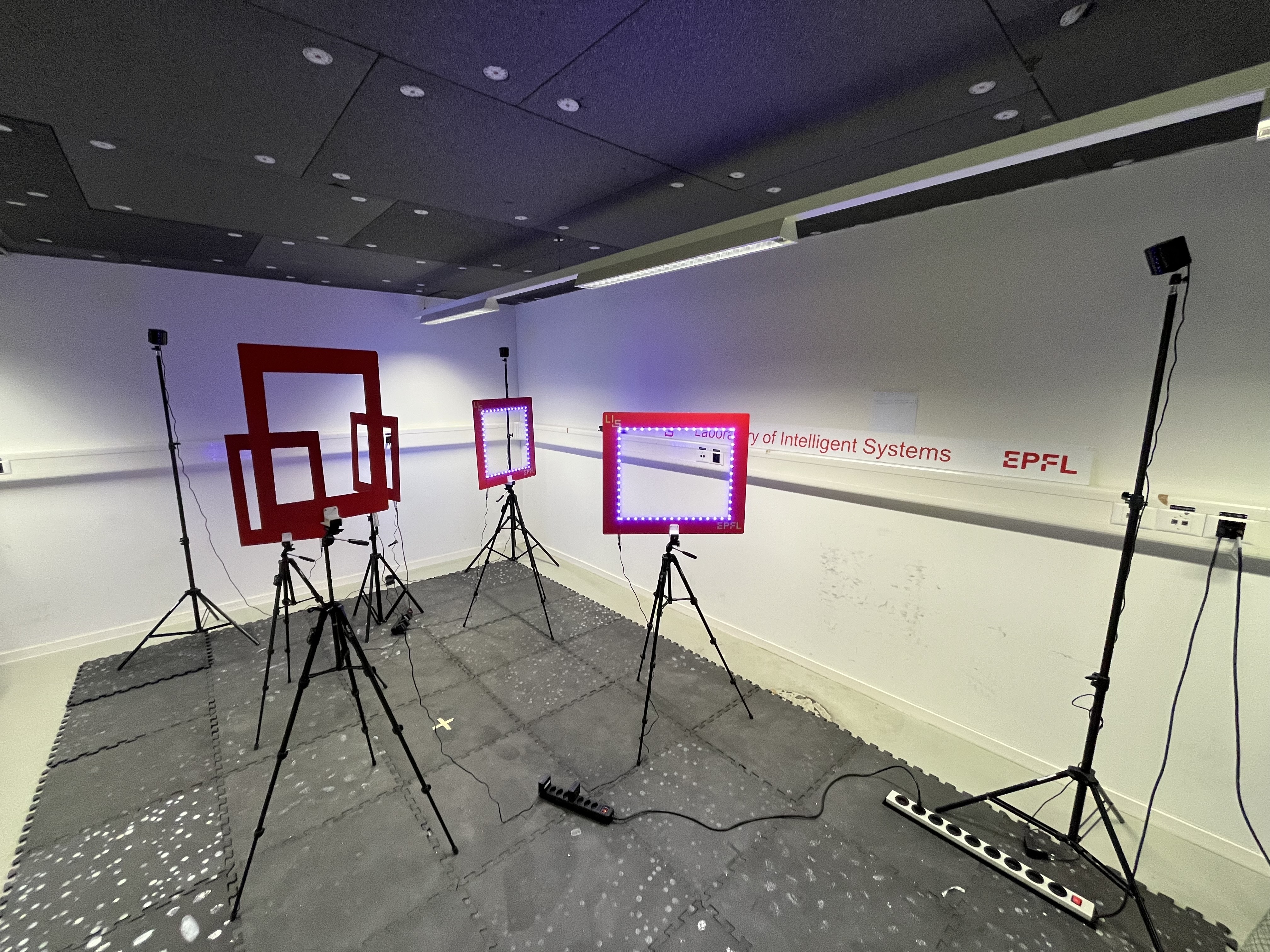
The setup consists of 5 gates. They have green LED indicators to be easily identifiable. The drone must take-off from and land on the indicated landing pad. The first part is going to be vision-based, where the goal is to detect the gates and fly through them. The second part, consisting in two laps, is going to be position-based, where the exact gate positions will be provided and the goal is to fly through as many gates as possible in the shortest time. The exact gate positions will be provided after the vision-based task. You may reposition the gates to your liking during your own testing, whilst please maintaining a good working order and placing them back neatly within the testing space.
In this form you can book slots for the use of the setup for a maximum of 3 hours per day up to the deadline, which you can split up as you like. Bookings can be made at maximum two workday weeks in advance.
A representative group captain must provide their name, surname, SCIPER and group number by e-mail to charbel.toumieh@epfl.ch to obtain drone arena access.
Complementary information
Submit by Monday 25th May, 23:59 (your code with comments, the video as MP4, presentation as PPTX) in a zip file named GROUPNUMBER_LASTNAME1_LASTNAME2_LASTNAME3_LASTNAME4_LASTNAME5.zip on Moodle
The initial position of the landing pad and the camera information will be given one day before the final demonstration
Each group will present the PPTX from our computer before the demonstration
Return the drone directly after the demonstration
Check that the returned material is complete, according to the lists in Hardware unpacking
Make sure you set up and make space quickly
Overall grading for the hardware task
We will evaluate you as a group and determine your grade for this hardware task as a weighted average of the following elements:
Presentation (Grade 1-6, Weighting: 25%)
Demonstration (Grade 1-6, Weighting: 75%)
The assistants will judge your presentation right before your hardware demonstration.
For the Hardware demostration you will have 20 minutes of time in total. The demonstration performance will be graded according to the performance metrics defined under Hardware Task overview and are the same as in simulation:
Grade 3.5: Take off
Grade 3.5 - 4.75: During the first part, teams must detect the gates using vision in a counter-clockwise manner. Each gate that is both correctly detected and flown through adds +0.25.
Grade 4.75 - 6.0: After that, the exact gate positions will be provided. Here you will have the remaining time to do how many trials you want. Only the best one will be considered. Teams will then be ranked according to the total number of gates completed and the average completion time of the two laps, compared to the rest of the class.
Solutions that go against the spirit of the exercise will not be accepted (e.g. finding bugs and exploiting them).